

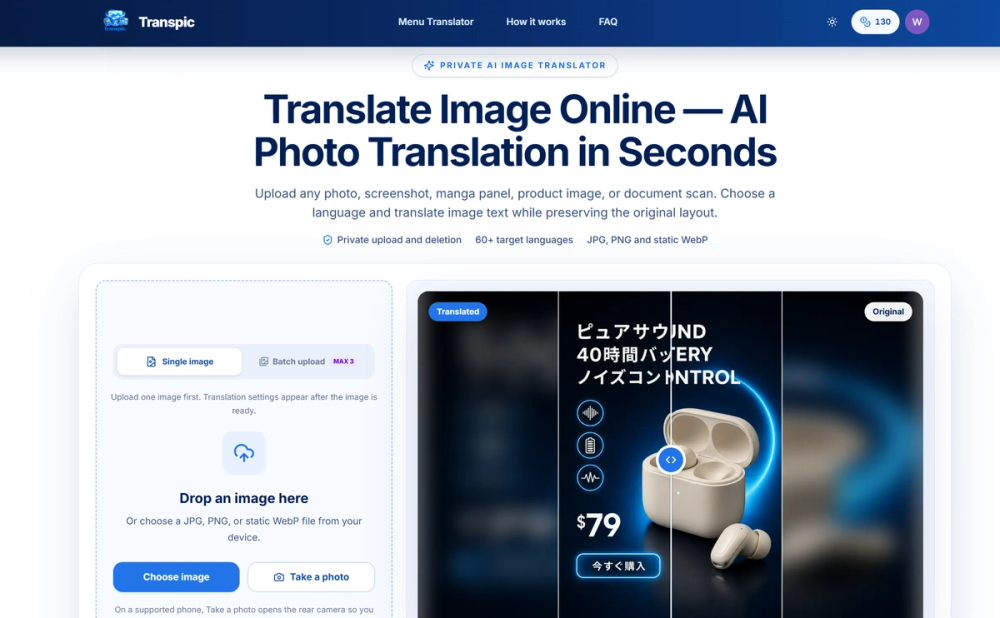
Transpic is an AI-powered visual translation platform that translates text embedded in images, photos, scans, and screenshots while maintaining the original layout and visual hierarchy. Rather than generating plain text transcripts, Transpic detects text regions and replaces the original copy in place across more than 60 languages.
Key Features
- Layout-Aware Text Translation: Accurately recognizes and replaces text while maintaining positioning, background formatting, fonts, and visual alignment.
- Multiple AI Models: Leverages advanced language models including Gemini, DeepSeek, ChatGPT, and Grok depending on plan and quality requirements.
- Interactive Built-in Editor: Inspect, adjust, and edit translated text overlays, fonts, colors, and positioning before exporting high-resolution assets.
- Specialized Translation Modes: Tailored modes for general photos, manga and comics (speech-bubble aware), e-commerce product graphics, and scanned document images.
- Text Removal & OCR: Built-in tools for clean inpainting/erasing existing text, as well as an Image-to-Text OCR extractor.
- Batch Processing: Supports simultaneous batch uploads, parallel translation jobs, and ZIP download options.
Use Cases
- E-commerce & Advertising: Localize product posters, banners, and listings for international marketplaces without redesigning from scratch.
- Comics & Manga: Translate dialogue and narrative panels while preserving speech bubble shapes and reading directions.
- Travel & Daily Life: Translate restaurant menus, signage, and product labels on the go.
- Software & Gaming: Translate localized UI screenshots, app banners, and gaming guides.


