

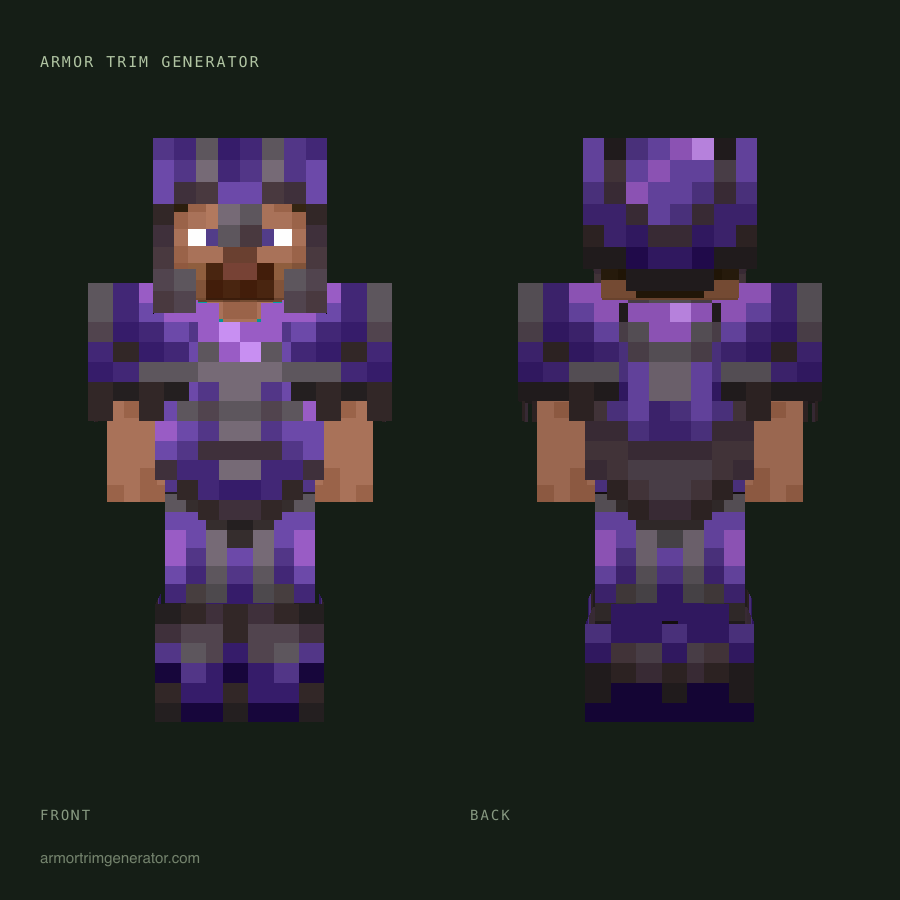
This tool allows users to preview all 18 Minecraft armor trims on their character, including their own custom skins. It offers a live preview with options to select armor pieces, trim patterns, and materials. Users can also upload their own skins to see how the trims would look. The tool aims to help players decide on their armor's appearance before applying trims in-game, thus avoiding wasted resources. It supports various armor types and materials, providing a realistic visualization of the final look.
Key Features:
- Live preview of all 18 Minecraft armor trims.
- Ability to apply trims to custom skins (Steve, Alex, or uploaded).
- Selection of armor pieces (Helmet, Chestplate, Leggings, Boots).
- Choice of 10 different trim materials.
- Option to randomize looks or reset the view.
- Download image functionality for sharing or reference.
- Free to use, runs in the browser, no installation required.
Use Cases:
- Players can experiment with different armor trim combinations to find their desired aesthetic.
- Content creators can generate preview images for their videos or social media.
- Players can visualize how trims will look on their unique skins before committing in-game.
- Useful for planning builds and ensuring a cohesive look for armor sets.


