

Edit existing words without rebuilding the image
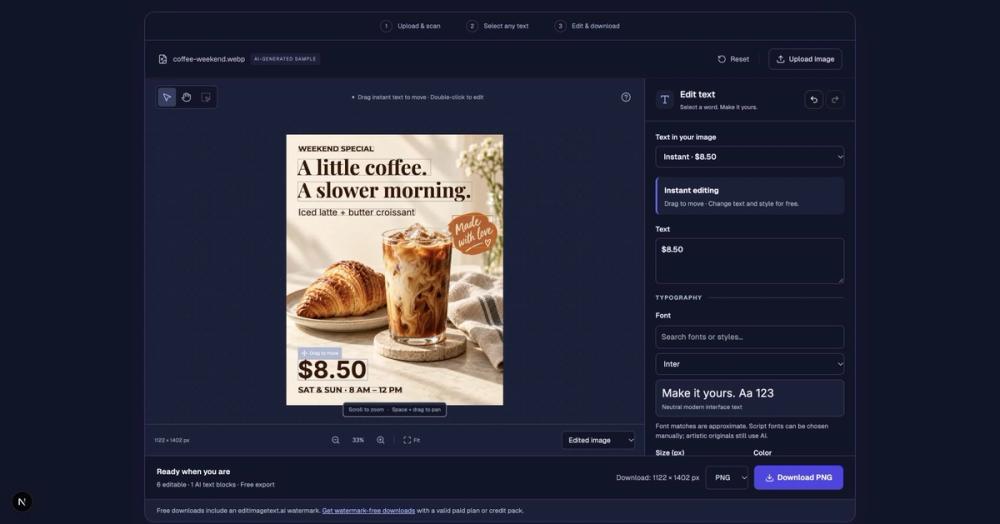
Edit Image Text is an AI image text editor for updating wording in existing images. It helps creators, designers and small businesses make focused changes to visual assets while aiming to keep the surrounding design intact.
How it works
Upload a PNG, JPG or WebP image, scan for text, and select the words you want to change. Enter new wording or choose a font style, review the result, and continue editing another text block if needed. Download the finished image as PNG or JPEG.
Practical uses
Update a price on a cafe menu, change a date on an event poster, correct a typo in a product photo, or revise copy in a screenshot or mockup. The tool is useful when you have the final image but want to change only a few words.
Getting started
Try the sample on the homepage or sign in to use free initial credits with your own image. Paid subscriptions and one-time credit packs are available for additional edits. Credit costs depend on the selected output resolution. Guides and examples on the blog explain common editing workflows.
AI results and font matching can vary, so review the edited text, layout and image details before downloading.


